.svg)




2025.05.09
Web Marketing

How Websites Really Work: From HTML & CSS to Servers, Static vs. Dynamic Content, and SaaS Explained
Last Updated on 2025-06-20by Naoki Hashimoto
- Index
- What makes a website?
- HTML and CSS: Separating information from appearance
- Web hosting and domains: the foundation for getting online
- What is the difference between static and dynamic sites? What is a CMS?
- Situations where static HTML sites are suitable and their advantages
- What is the “platform” that supports a website? (SaaS / PaaS / IaaS)
Introduction
We see websites every day. Beautiful designs are eye-catching, and smooth displays are pleasant to look at, but when asked “What is a website made of?” or “How is it published?”, it can be surprisingly difficult to answer.
In this article, we will explain the basic structure and mechanisms of websites, the difference between static and dynamic, commonly used technologies, and the thinking behind them.
1. What is a Website Made of?

A website consists of the following main components:
| Element | Content |
|---|---|
| HTML | Page structure and meaning (text, headings, images, links, etc.) |
| CSS | The look and feel of the design (colors, fonts, layout, animations, etc.) |
| Server | Where to put your data (your “land” on the Internet) |
| Domain | Website address (e.g. example.com) |
| Platform | Platforms that help with website creation and operation (CMS, cloud, etc.) |
2. HTML and CSS: Separating Information from Appearance
●HTML (HyperText Markup Language)
It is a language that defines the “structure” of information on a web page.
It marks up (tags) what is a heading, what is the main text, where images and links are, etc.
● CSS (Cascading Style Sheets)
CSS is what gives the information defined in HTML its **appearance (style)**. It specifies things like font size, color, background, layout, responsiveness (optimization for smartphones), etc.
3. Web hosting and domain: the foundation for publishing online

●What is Web Hosting?
“Web hosting” is a service that rents space to publish website files (HTML, CSS, images, etc.) on the Internet.
In other words, web hosting can also be said to be renting a server.
Examples of major hosting services:
| Service | Features |
|---|---|
| GoDaddy | Relatively simple shared hosting. Domain acquisition and hosting available. |
| Bluehost | |
| Kinsta | Fast, WordPress-optimized managed hosting |
| AWS | Cloud hosting (for businesses and large-scale businesses) that allows you to freely increase performance and capacity later when the required capacity increases |
By using these services to rent server space, you can publish your website on the Internet.
●What is a Domain?
A “domain” is like the address of a website.
For example, the “your-site.com” part in https://your-site.com is the domain name.
By acquiring a domain and linking it to a server, you can access the website from a browser.
● Relationship Between Domain and Hosting
- Hosting → “Place to store data” for your website
- Website “Address”
These two are always necessary as a set.
For example, even if you acquire only a domain (address), if there is no hosting/server (building) beyond it, nothing will be displayed.
● Domain Acquisition and Management
You get your domain through a domain registrar.
Once you have your domain, you use your DNS (Domain Name System) settings to tell it which server to connect to.
→ This ensures that when users type in your domain, they see the correct hosted website.
4. What is the Difference Between Static and Dynamic Sites? What is a CMS?
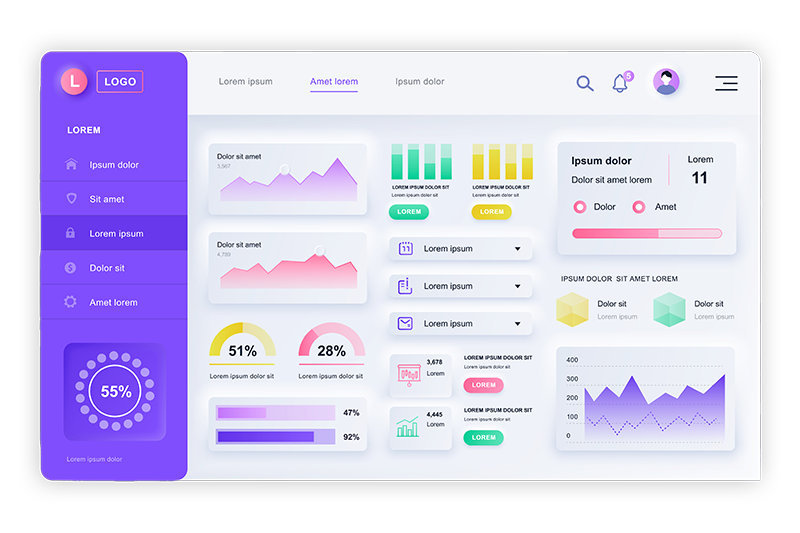
● Static Site
A static site is a website that displays pre-prepared HTML files as is.
It has a simple structure and can be operated by simply placing the HTML, CSS, image files, etc. on the server as is.
- Faster: No server-side processing required
- Strong security: Fewer applications are running, so there is less risk of attack
- Low cost of operation: Suitable for small sites
Dynamic Site
A dynamic site is one in which a program on the server runs when the page is accessed and generates the page content in real time.
for example:
- Blog post list and detail pages
- Membership sites and e-commerce sites where the content displayed varies depending on the user
●What is a CMS?
A CMS (Content Management System) is a system that allows you to edit and update the content of a website using an administration screen in your browser without having to directly edit HTML or CSS.
Representative CMS:
| CMS | Features |
|---|---|
| WordPress | No.1 in global market share. Flexible and can be used for a wide range of purposes, from blogs to corporate websites |
| Shopify | Specialized in building EC sites. Payment and inventory management are standard features. |
| Webflow | A next-generation SaaS builder that combines design and CMS functions |
CMS is generally used as a “dynamic site”, but in recent years, the idea of Jamstack, which combines a “static” mechanism with a CMS, has also emerged.
Jamstack is a structure that emphasizes “high-speed delivery of files that have been statically generated in advance” without relying on traditional CMS.
For example, there is a mechanism that uses a CMS called “headless CMS” that does not have a display part (front end), obtains information entered in the management screen via an API (a mechanism that allows necessary data to be called from outside), and incorporates it into the site in any form such as React, Vue (a modularized program tool for creating more dynamic web pages), HTML, etc., but we will talk about that on another occasion.
5. Situations Where Static HTML Sites are Suitable and their Advantages
Static sites are still perfectly viable, especially in the following use cases:
| Suitable situations | Reason |
|---|---|
| Company profile website that does not require frequent content updates | Stable and cost-effective |
| Campaign landing page and event introduction page | It is completed on one page, lightweight and can be displayed quickly. |
| To reduce security risks | Since no CMS is used, there are fewer targets for attack |
◎ Main benefits:
- Light server load and fast display
- There are no CMS vulnerabilities, so it is highly secure
- Pages that are updated infrequently also make it easier to keep running costs down.
6. What is the “Platform” that Supports a Website? (SaaS / PaaS / IaaS)

For static HTML sites, the type of hosting you use is important, but for dynamic sites and CMS sites, the platform you choose is also important. They can be roughly divided into three types:
● SaaS (Software as a Service)
- Web apps and CMS provided as a service
- Basically, it can be used right from the browser.
- Example: Shopify / Wix / Webflow
→ You don’t need to prepare or manage your own servers or infrastructure
→ You can start with no coding, but some degree of customization or unique design requires coding knowledge
● PaaS (Platform as a Service)
- Providing an environment for building and running websites and apps
- Server operation and security management are the responsibility of the service provider
- Example: Kinsta
→ While we take care of server maintenance, you also have the freedom to design and customize
→ It is suitable for those who want to run a CMS (such as WordPress) with peace of mind.
● IaaS (Infrastructure as a Service)
- A highly flexible environment that allows you to configure infrastructure such as virtual machines and networks
- You need to design and manage the configuration of your servers and networks yourself.
- Example: AWS
→ Knowledge of development and operations is required, but flexible construction is possible
→ Suitable for large-scale sites with many accesses or when a dedicated design is required
Summary
The term “website” is made up of many different elements. It is best to consider each aspect of the site, such as the purpose of the site’s existence and the goals you want to achieve through activities on the site, and operate it in an optimal manner. If you are thinking about creating a website or are wondering whether to revamp your current site, please feel free to contact us!
More from this Category
View All




Most Viewed Blog



More from this author