.svg)




2026.06.26
Web Marketing

Say Goodbye to Scattered Research: Organize Your Materials with NotebookLM – Demo Included
Last Updated on 2025-06-13by Shun Kusakabe
Table of Contents
- What is NotebookLM?
- What is NotebookLM really like? My impressions and key points after using it
- Introduction of materials to be used
- Steps for using NotebookLM
- Examples of output and functions available in NotebookLM
- Summary
What is NotebookLM?
NotebookLM is an AI research support tool developed by Google.
When you upload multiple documents, the AI (Gemini) reads them, understands the content, summarizes it, answers questions, and compares the documents with each other.
This time, we will actually import a YouTube video and an explanatory web page that introduces NotebookLM and show you how to use it!
What is NotebookLM really like? My impressions and key points after using it
After actually using it, I felt that NotebookLM is the perfect tool for when you want to consolidate all the information you’ve researched into one place.
The following points were particularly impressive: I was surprised at what the free version could do!
- High accuracy: Answers are generated based on the materials you upload, so there is less misinformation
- A wide variety of output formats: Not only summaries, but also information can be summarized in various ways, such as mind maps, timelines, and audio.
- Good at comparison: Reads multiple documents at the same time and shows the differences
To put it simply, the difference between ChatGPT and NotebookLM is that ChatGPT is a “general-purpose AI that is conversational and can ask you anything,” while NotebookLM is an “AI that specializes in the materials you have on hand and intelligently organizes them.”
Unlike ChatGPT, NotebookLM summarizes the content based on the uploaded materials, so it answers questions without guesswork. It’s perfect for organizing your research.
On the other hand, ChatGPT is good for coming up with ideas, so I thought it would be a good idea to use ChatGPT when I want to create something from scratch!
Introduction of materials to be used
This time, let’s summarize what we have actually researched on the topic of “What is NotebookLM?”
I tried loading the following three sources into NotebookLM.
- YouTube video : NEW Google NotebookLM Update (FREE!) 🤯 (Julian Goldie SEO)
- Webpage 1 : As Long as I Have NotebookLM, I Don’t Need Any Other AI Tool ( Blake Stimac )
- Web page 2 : NEW Google NotebookLM May 2025 Updates and Full Tutorial (Shanee Moret)
Operation procedure for NotebookLM (free version)
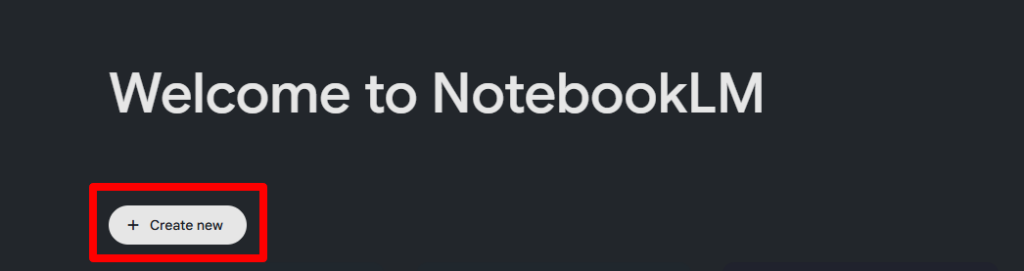
1. Create a note
First, go to NotebookLM and create a new notebook. Click the “Create New” button.
2. Uploading materials
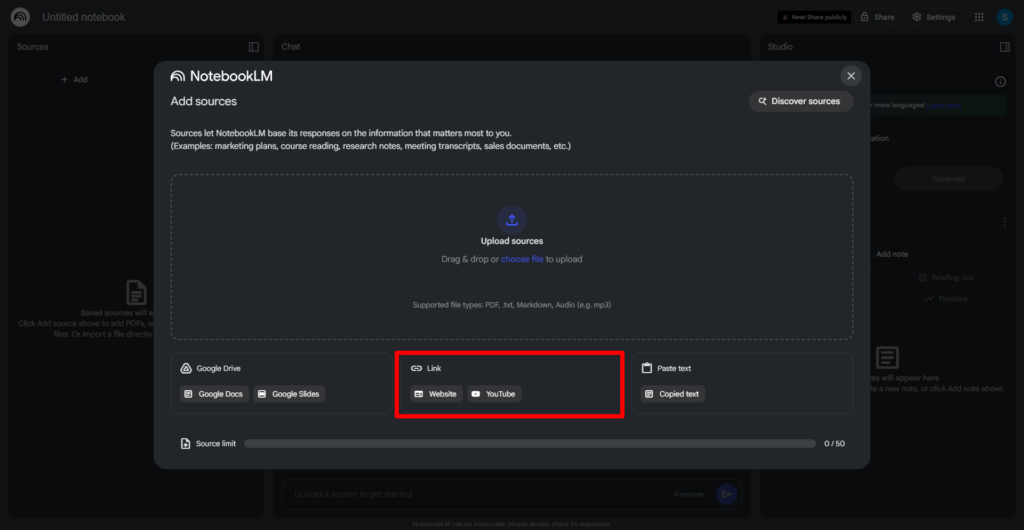
Once you click the button, the document upload window will appear.
Enter the URL in the YouTube and web page fields. (Please note that private and paid content cannot be obtained.)
3. Upload additional materials
The AI will compile the content for each URL or file registration, so if you have additional materials, just click the “Add” button.
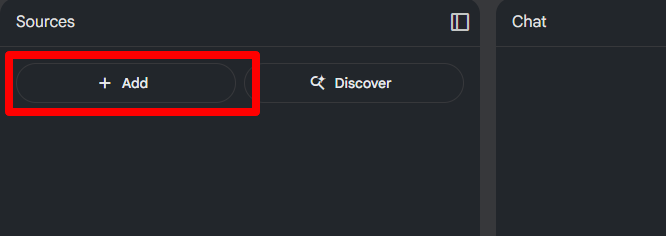
The same window will appear, so you can register the file format you want to upload. This time, we will register a web page. (Multiple web page URLs can be registered at once.)
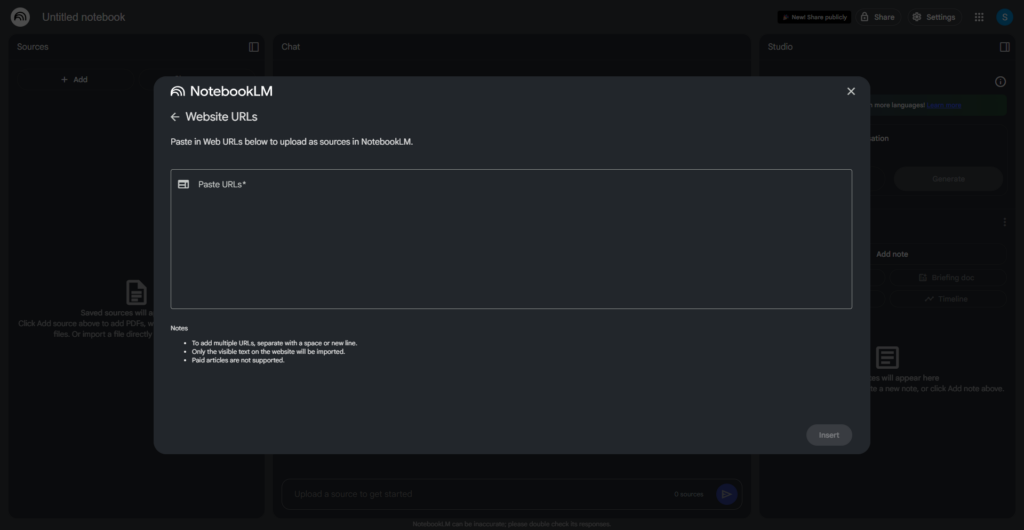
In addition to the above, you can upload in a variety of formats, including Google Docs, Slides, PDF, Notepad, Markdown, audio data, and copied text.
The free version allows you to upload 50 documents per notebook. That’s plenty!
By the way, with the paid version you can upload up to 300 images.
Once the upload is complete, you’re ready to go!
Let’s take a look at what gets output next.
Examples of output and functions available in NotebookLM
You can check the output on the screen below and request additional information from the AI.
Here are some typical output formats:
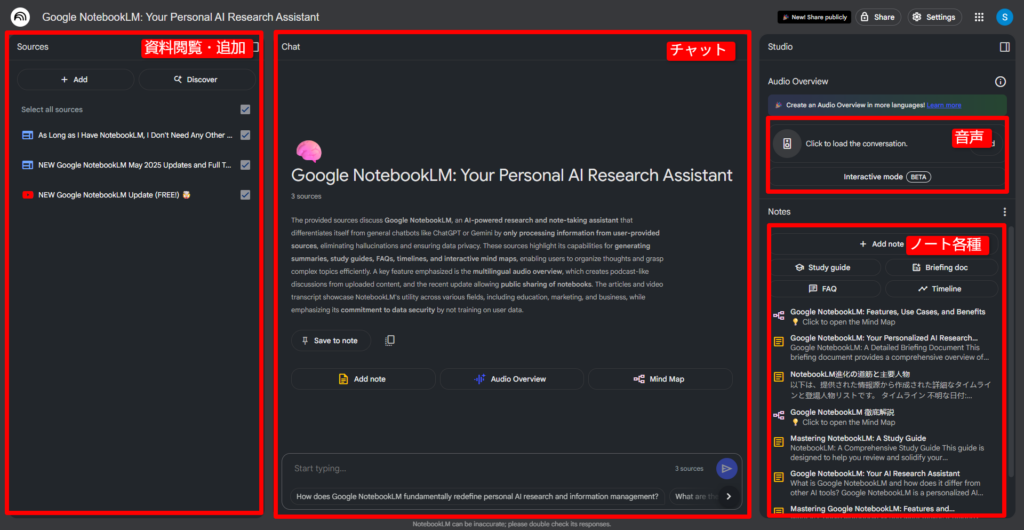
Chat
The chat in the middle of the screen automatically displays a summary of the uploaded materials. Here you can communicate in a conversational format, just like ChatGPT.
If you ask additional questions such as “Please summarize just the functional aspects of NotebookLM” or “In what situations can NotebookLM be used?”, they will answer you based on the materials you uploaded.
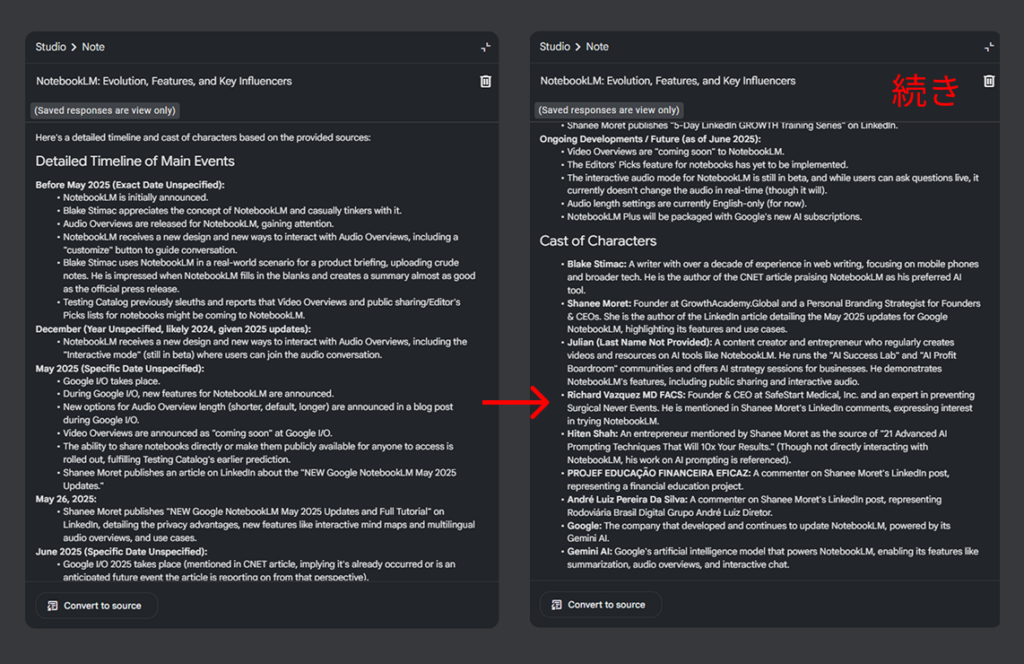
Timeline
Depending on the topic, such as the history of a product release or the progress of research, aren’t there times when you would like to understand it in chronological order?
The timeline automatically arranges events in chronological order.
In this example, the flow of NotebookLM releases and updates was organized. The characters were also organized separately.
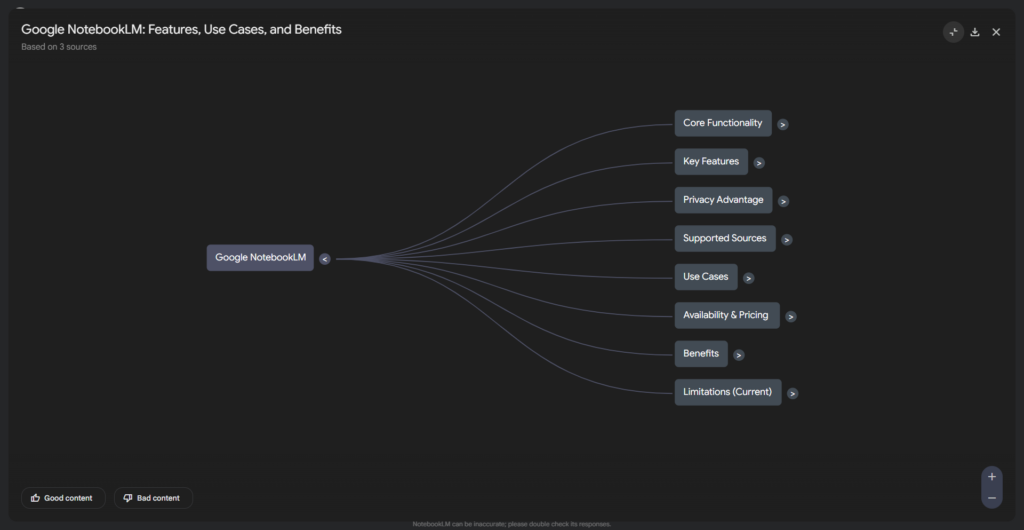
Mind Map
It automatically identifies the relevance of keywords and topics within the document and organizes them, for example, by showing “this keyword is connected to this theme.”
What’s more, it visually summarizes your thoughts as a mind map, so you can use it when you want to expand your thinking!
Question
They will create an FAQ based on your materials. It can be used in a wide range of ways, such as discovering new angles you hadn’t thought of and preparing questions you might have.
For example, “What makes NotebookLM different from other AI tools?” “What are some examples of its use in education?”
Audio (Dialogue)
It generates audio data in a podcast-like format, which is very useful if you want to listen to the content on the go.
Also, while it’s still in beta, an Interactive Mode has been added that lets you join in on the audio (laughs).
It looks very interesting, so I’d like to try it out!
Summary
NotebookLM is a revolutionary tool that allows you to do more than just input information; it also allows you to organize, compare, and learn from your own materials. It is especially recommended for marketers, planners, educators, salespeople, and administrators.
The biggest attraction of this app is that it can seamlessly link documents in different formats, such as a YouTube video and a web page. It is expected to be used in a variety of ways as an “AI that is close to documents,” unlike ChatGPT.
It’s free to use, so be sure to give NotebookLM a try!
More from this Category
View All




Most Viewed Blog




More from this author